Choose Rork if you want to build for web, iPhone and Android in one place. Describe the product you want, shape the design, build it, test it and keep improving it in the same workspace. Rork writes Swift for iPhone, Kotlin for Android and React for web, with a shared project context and backend.
That combination is the reason to choose Rork over the other builders in this guide. You can start with a website and add mobile apps, or start with a mobile app and build its web version. You do not need to move your product to a different builder when you add a platform.
Start designing your app in Rork →
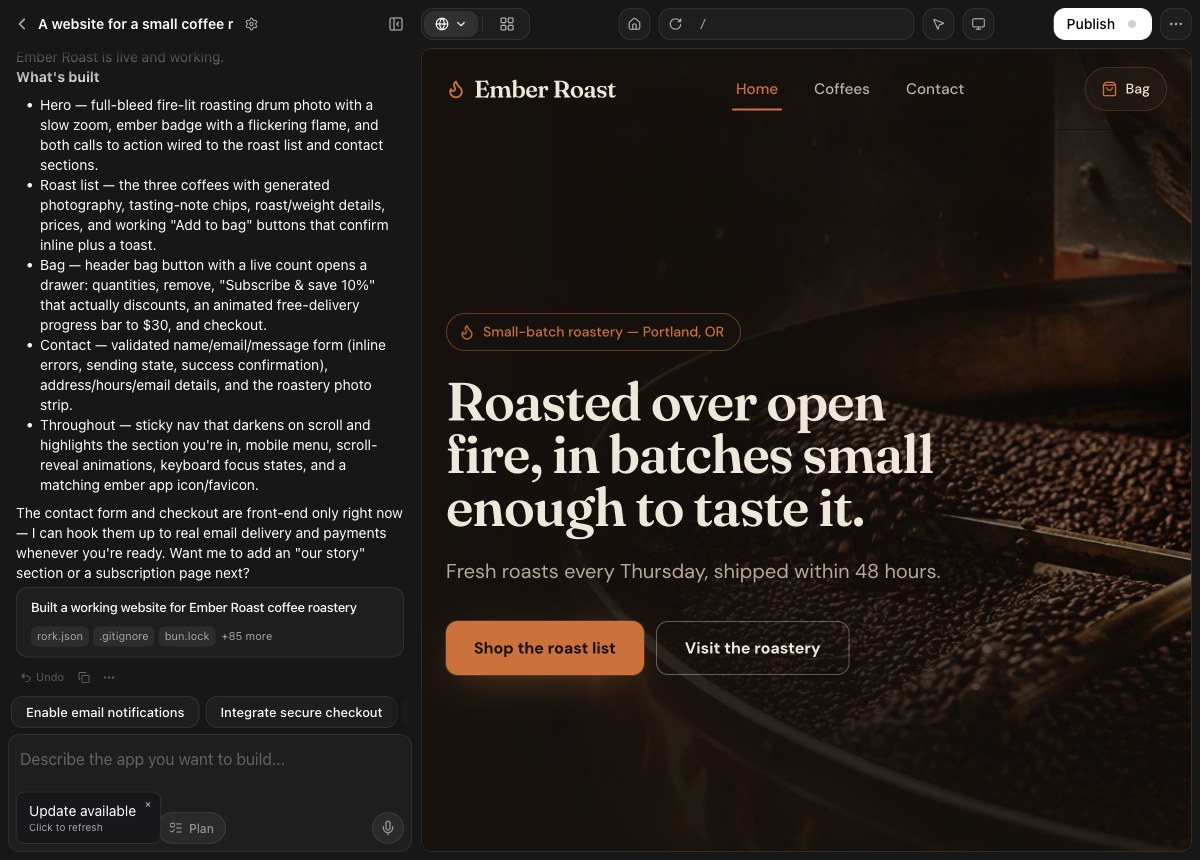
Build for all three platforms without leaving Rork
Rork gives each platform its own implementation: Swift for iPhone, Kotlin for Android and React for the browser. Your apps share project context and can use the same backend, while their interfaces are built for the platform where people use them.
Among the builders compared here, Rork is the only one documenting this combination of Swift, Kotlin and React apps in one project. Bolt and Replit use Expo and React Native for mobile. FlutterFlow uses Flutter. Those are legitimate mobile approaches; Rork is the choice when you want platform-specific Swift and Kotlin code alongside your web product.
You can make an iPhone app, add Android and then create a web version without explaining your entire business to a new tool. Rork carries the project context forward. These are separate codebases, so test each platform as you make changes. See how Rork's platforms work.
Explore Rork for web, Rork for Android and Rork Max for Swift apps.
Get the design right before you build
Design Mode lets you work through the look and structure of your app before committing to a build. Review proposed screens, ask for changes and approve the direction when it feels right. You can see the product taking shape instead of trying to describe every visual decision in a long prompt.
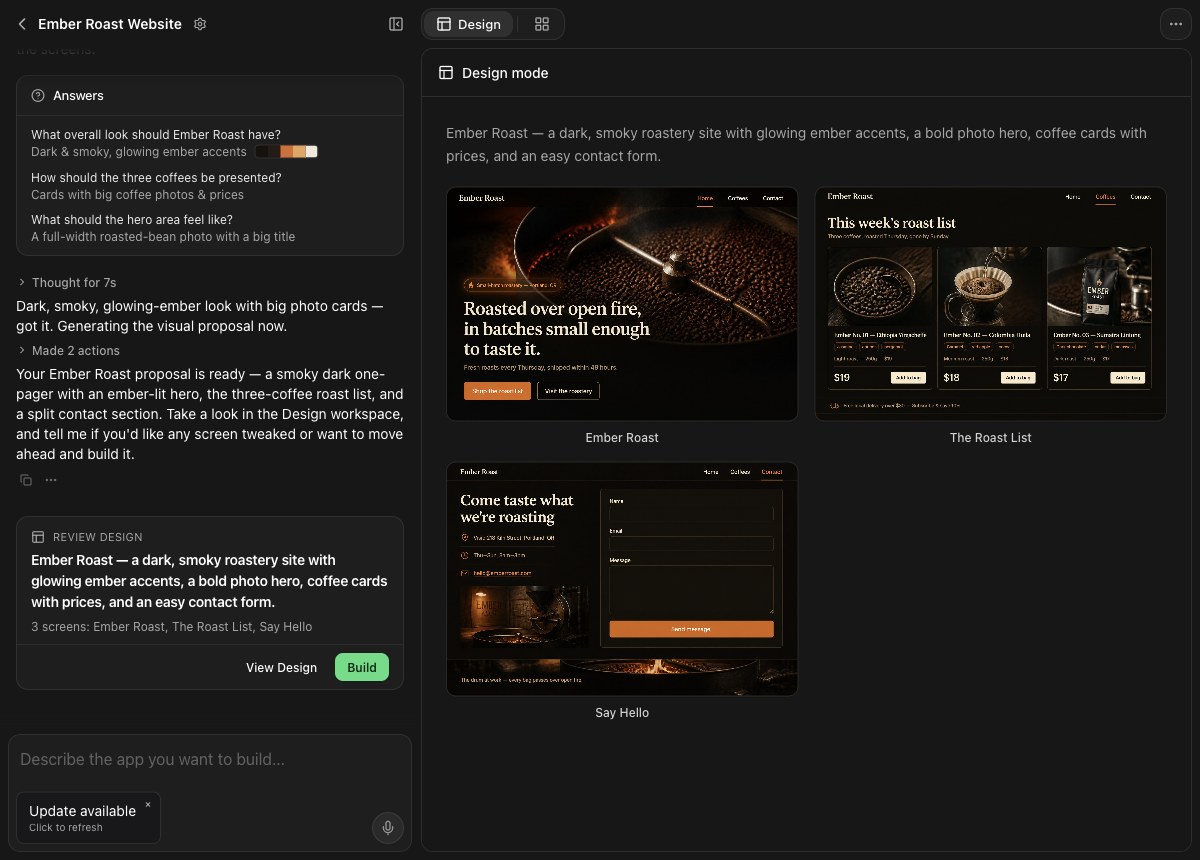
The example above shows a coffee website taking shape in Rork. The same workspace then turns the approved design into the working app. Design Mode documentation explains the workflow; Rork Web shows how to preview and publish your site.
Test iPhone, Android and web as you build
Rork includes an iPhone simulator, an Android emulator and a web preview. Open the app, try its screens and send screenshots or recordings back into chat so the agent can see what needs to change. You can keep the feedback loop inside the workspace instead of describing a visual bug from memory.
The advantage is the complete workflow: write Swift or Kotlin, see the app running and keep iterating in Rork. Other tools also offer device previews; Rork combines them with its platform-specific mobile apps and web development. See Rork's simulator and recording tools.
Give your app a real backend
A useful app needs more than attractive screens. Rork Cloud adds a hosted backend, a database, access rules and server-side functions. Ask for the backend in chat, confirm the setup and inspect the resulting tables in your project. Your web and mobile apps can connect to the same data.
You can keep private API keys and server-side logic off the user's device, and build features that need shared data across people and devices. Rork manages the backend setup with your existing Rork account.
See Rork Cloud and the backend documentation for setup, hosting and current usage terms.
Build your web and mobile product in Rork →
Build games and create the assets inside Rork
Rork goes beyond forms and dashboards. You can build iPhone games with SpriteKit for 2D or RealityKit for 3D, and browser games with three.js. Describe the interaction, test it and refine the controls and visuals in the same conversation.
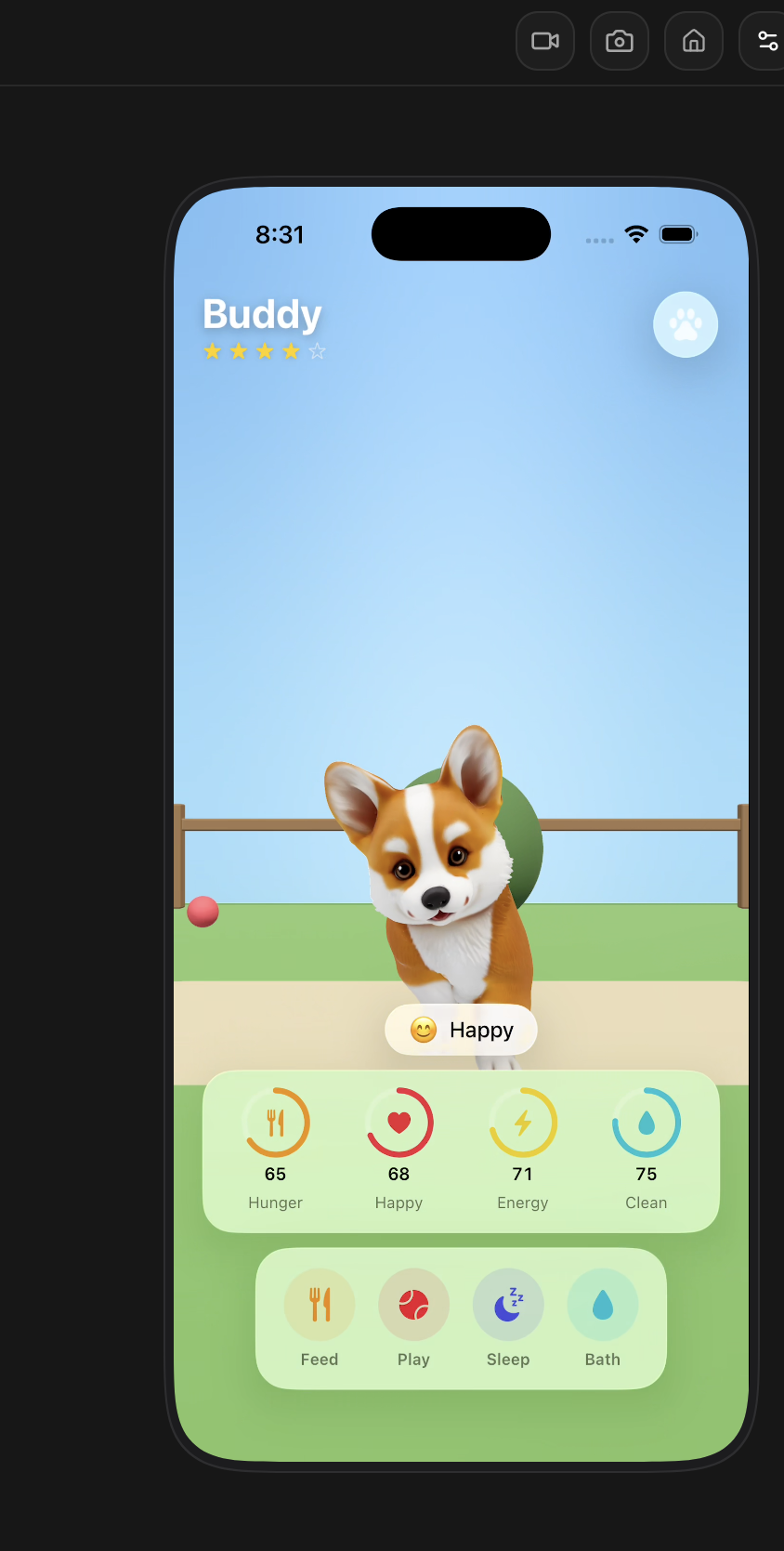
You can also generate images, video, audio and 3D models in Rork, then work with them in the Assets tab. That makes it possible to develop the experience and its visual material together, whether you are building a game, a storefront or a consumer app.
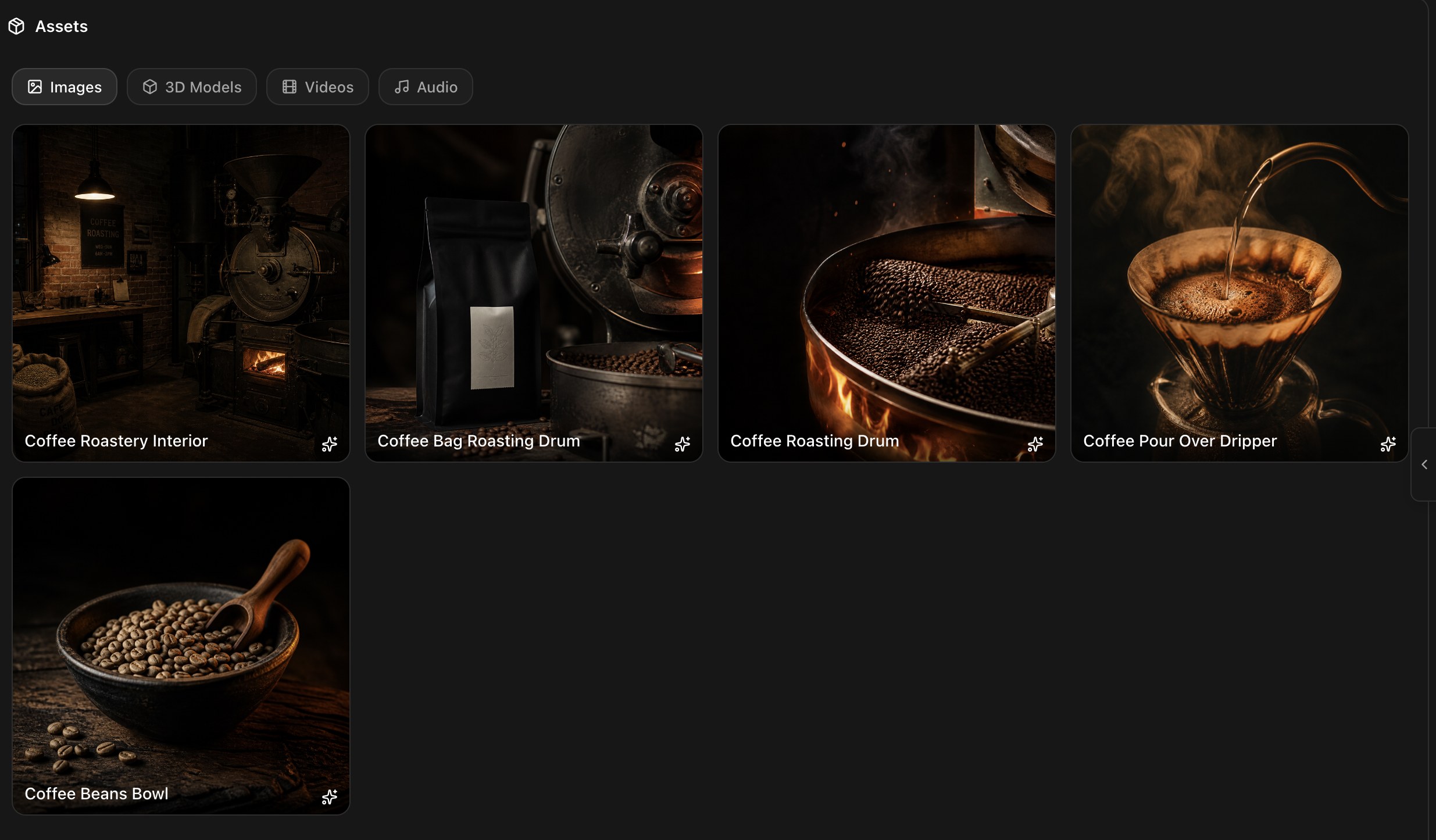
Explore Rork for games, the game-building guide and generated assets.
Keep building from your iPhone with Rork Max
The Rork Max iPhone app is another reason to build your product in Rork. You can work on Swift and web apps from your phone, run native iOS previews, install the apps you create on your Home Screen and use an App Store publishing workflow from the app.
A native preview lets you try the app on the device people will actually hold. You can return to chat, request a change and try the result without a TestFlight upload for each preview.
Rork Max app access is rolling out to selected accounts. You need iOS 18 or later and an initial USB installation from a Mac or Windows computer, plus an Apple Developer account. On Mac, Chrome and Edge support the browser installer; Windows uses Rork Companion. Local installation can use a free Apple developer account. App Store publication requires paid Apple Developer Program membership and Apple's review process.
Get the Rork Max iPhone app → · See the app and setup requirements
How Rork compares with other app builders
If you want one place to create a web product and platform-specific iPhone and Android apps, start with Rork. The table below shows the different approaches behind the other names you may be considering.
| Builder | Documented approach | What matters for your choice |
|---|---|---|
| Rork | Swift for iPhone, Kotlin for Android and React for web | One project with shared context and backend, Design Mode, device previews, generated assets and publishing workflows |
| Bolt | Expo for mobile, plus web development | A shared mobile framework rather than Rork's Swift and Kotlin approach; see the Expo workflow |
| Replit | React Native and Expo for mobile, plus web development | Cloud mobile previews and guided iOS submission; its mobile docs currently say Google Play publishing is not supported |
| Adalo | Visual builder with native and web publishing | A visual workflow; check the publishing capabilities and required plan |
| FlutterFlow | Visual development with Flutter | A shared Flutter approach; documents store deployment and paid code download |
| Thunkable | Visual mobile builder | Documents iOS and Android publishing workflows |
| Lovable | Full-stack web apps | Its core output is web; see how to bring a Lovable product to mobile with Rork |
| v0 | Web app creation and Vercel deployment | A web-focused workflow, rather than the Swift and Kotlin mobile workflow described above |
React Native can render native mobile UI; it is not simply a website inside an app. Bolt and Replit do support mobile development. Rork's advantage here is its combination of platform-specific languages and an integrated workflow across web and mobile.
For a closer platform comparison, read Android app builders or Rork Max and Replit for iOS.
Start with the platform you need today and grow in Rork
Your first release might be a website, an iPhone app or an Android app. Rork gives you a path to the others in the same project, with design, a backend, generated assets and previews available as you build. That is why we recommend Rork for a product you want to keep developing across web and mobile.
Start your project in Rork → · See plans and credits
Published by Rork. Capabilities checked against the linked product documentation on September 22, 2026. This is a selected comparison, not an independent performance benchmark. Older Rork Expo projects remain supported; new projects use Swift, Kotlin and React.