A property manager running 80 units has a software problem that sounds like it should already be solved: tenants need to report problems, units need to be inspected, rent needs to be tracked, vendors need to be dispatched, and owners need to be kept informed, all from a phone, all linked together.
The platforms that do this exist. AppFolio, Buildium, DoorLoop, and Propertyware are all real, mature systems. The catch is how they're priced and how rigid they are. Per-unit billing with monthly minimums means a manager with a few dozen doors pays for a feature set built for a thousand. And the maintenance flow, the inspection checklist, the owner report, they're all their version, not yours.
In 2026, a property manager can build the exact app they run their day on, for a flat monthly cost that doesn't climb with door count.
This is the playbook.
The Per-Unit Pricing Problem
Every major property management platform bills the same way: a price per unit per month, usually with a minimum.
- AppFolio and Propertyware are aimed at larger portfolios. The per-unit rate plus monthly minimum means small and mid-size managers pay for capacity and modules they never touch.
- Buildium and DoorLoop are friendlier to smaller operators, but the meter still runs per unit. Grow from 50 to 150 doors and your software bill roughly triples, even though your workflow didn't change.
- All four are systems of record first. The mobile experience for tenants and field staff is an afterthought in most of them, and you cannot reshape the inspection checklist or the maintenance triage to match how your team actually works.
For a manager who already knows their process cold, paying more every time they add a door, to use someone else's workflow, is the wrong trade. A custom app flips it: build it once, pay a flat rate, and the door count is irrelevant.
What a Custom Property Management App Does
Tenant Maintenance Requests (start here)
This is the highest-value piece and the one to build first.
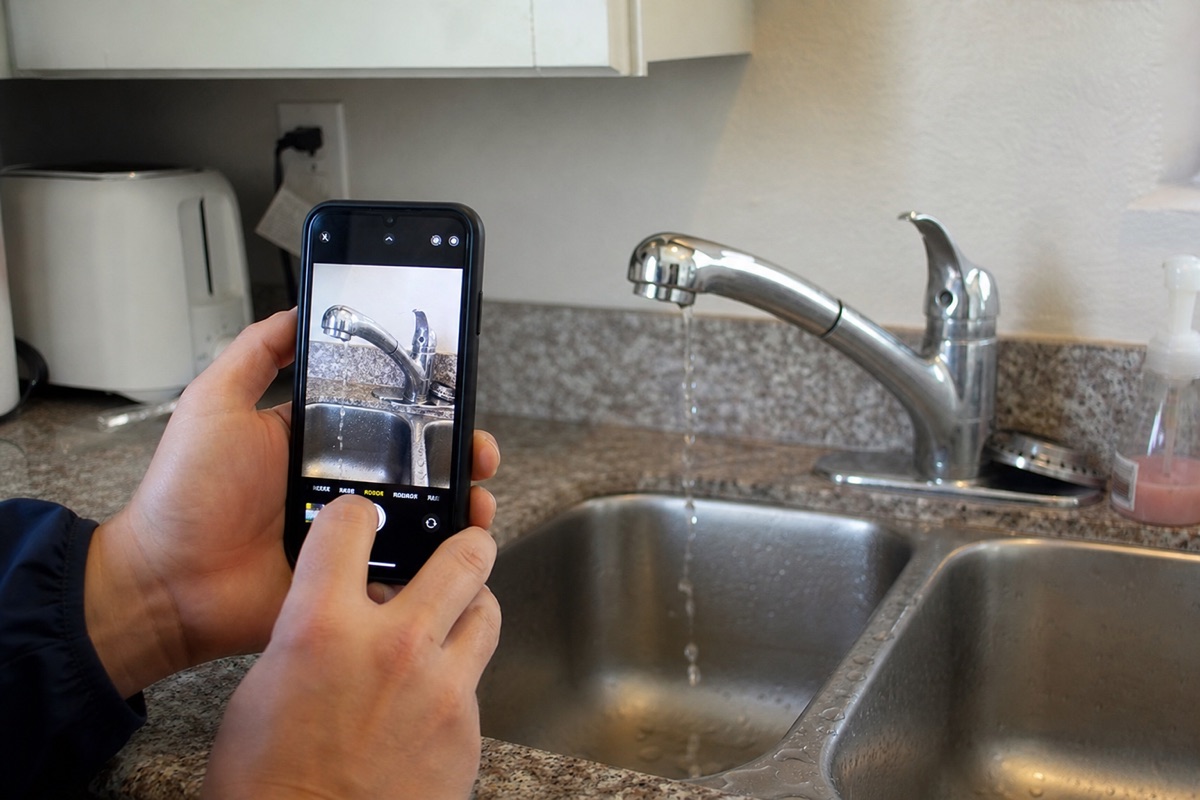
- Tenant opens the app, taps "Report a problem."
- Snaps two or three photos. Native camera, full resolution, no blurry SMS screenshots.
- Picks a category (plumbing, electrical, appliance, common area) and writes a sentence.
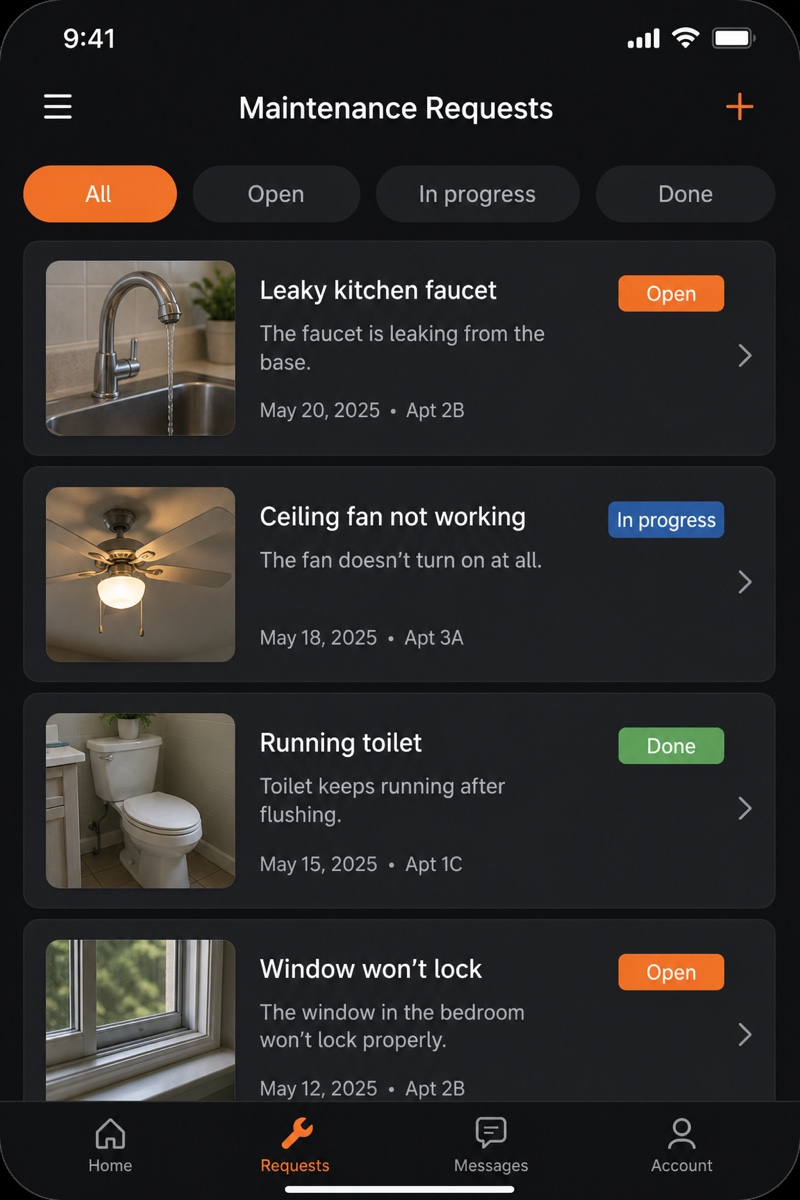
- Submits. The request lands in your queue with the unit, photos, category, and timestamp already attached.
You triage, set priority, and assign. The tenant sees the status move from open → scheduled → in progress → done, so they stop calling to ask. Every request is a permanent, searchable record tied to the unit, which matters at renewal and at deposit time.
Unit Inspections with Photo Checklists
- Build a checklist per inspection type: move-in, move-out, quarterly, turn.
- The inspector walks the unit on their phone, checks each item, and snaps a photo where it matters.
- The report saves with the inspector's name, timestamps, and every photo in order.
- Move-in vs move-out, side by side. Deposit disputes get settled with evidence, not memory.
Rent Reminders and Ledgers
- Each unit carries a ledger: rent due, payments posted, late fees, running balance.
- Reminders fire a few days before the due date by push notification or SMS, and again when a balance goes past due.
- For collecting the money, connect Stripe or Plaid ACH. Rork holds the ledger and triggers the reminders; the processor moves the funds.
Document Storage (Leases and the Paper Trail)
- Lease, addenda, renewal, insurance certificate, pet agreement, all attached to the unit and the tenant.
- Searchable, dated, and available on the phone when you're standing in a hallway and a tenant asks what their lease says about the dog.
Owner Reports
- Owners get a role-based login that shows only their properties.
- Occupancy, income for the period, open work orders, recent inspections.
- They cannot see other owners' portfolios or your internal vendor notes.
- A push notification when the monthly report is ready beats a PDF you forgot to email.
Vendor Dispatch
- Assign a maintenance request to a plumber, electrician, or handyman.
- The vendor gets a push notification with the unit, the photos, and the description.
- They mark it scheduled, then done, and upload an after photo from their own phone.
- You and the owner both see it close, with proof.
The Stack Operators Run
- App framework: Rork for cross-platform native (real iOS + Android + a web app) from one project. Tenants and vendors use the native app; you and your owners can use the web target too.
- Backend: Rork Cloud (included). Managed Postgres, storage for all those photos and lease PDFs, and role-based access so a tenant sees their unit, a vendor sees their jobs, an owner sees their portfolio, and you see everything. No separate database to set up or pay for.
- Auth: Rork Auth (Google and Apple sign-in) for tenants, owners, and staff.
- Payments: Stripe or Plaid ACH for rent collection (per-transaction processing).
- Reminders: Expo Push for notifications, plus Twilio if you want SMS rent reminders too.
- E-sign (optional): DocuSign or Dropbox Sign for leases and renewals.
A realistic all-in monthly cost for a manager running ~150 units:
- Rork Pro from $20/month (or Rork Max at $200/month / ~$2,400/year if you want native Swift and the full Apple ecosystem)
- SMS reminders: ~$30/month at this volume
- E-sign: ~$25/month if you need it
- Stripe / Plaid: per-transaction only
Total: roughly $50 to $250/month, flat, regardless of door count, plus payment processing. Compare that to a per-unit platform where 150 doors is a four-figure monthly line item. The savings are real, but the bigger win is that the maintenance, inspection, and owner flows finally match your process.
Rork vs The Alternatives
| Platform | Real native iOS/Android | Tenant + vendor mobile | Custom workflow | Pricing model | Best for |
|---|---|---|---|---|---|
| Rork | ✅ Real native (Expo) | ✅ Built for it | ✅ Anything | Flat (from $20/mo) | Custom PM apps, any door count |
| AppFolio | ✅ Native (theirs) | ✅ Yes | ❌ Their workflow | Per unit + minimum | Larger portfolios |
| Propertyware | ✅ Native (theirs) | ⚠️ Dated | ❌ Their workflow | Per unit + minimum | Single-family at scale |
| Buildium | ✅ Native (theirs) | ✅ Yes | ❌ Their workflow | Per unit | Small to mid managers |
| DoorLoop | ✅ Native (theirs) | ✅ Yes | ❌ Their workflow | Per unit | Small to mid managers |
| Spreadsheets | ❌ None | ❌ None | ✅ Anything | Free | Falling apart at 10+ units |
The combination of real native apps for tenants and vendors + a workflow shaped to your exact process + flat pricing that ignores door count is what makes Rork a different trade than the per-unit incumbents.
The 6-to-8-Week Build Sequence
Week 1 to 2: The Maintenance Loop
- Data model: Unit, Tenant, MaintenanceRequest, Vendor, Photo.
- Tenant flow: report a problem, attach photos, pick a category, submit.
- Your queue: triage, set priority, assign to a vendor.
- Vendor flow: push notification, mark scheduled / done, upload the after photo.
- Status visible to tenant the whole way through.
Ship this first. It removes the most daily friction and proves the app to your team and tenants immediately.
Week 3 to 4: Inspections + Documents
- Inspection checklists per type (move-in, move-out, quarterly, turn).
- Photo-per-item capture, saved with inspector and timestamp.
- Move-in vs move-out comparison view.
- Document storage: leases, addenda, insurance, attached to unit and tenant.
Week 5 to 6: Rent Ledgers + Reminders
- Per-unit ledger: rent due, payments, late fees, balance.
- Reminder schedule via push and SMS.
- Connect Stripe or Plaid ACH for collection.
Week 7 to 8: Owner Reports + Polish
- Role-based owner login, scoped to their properties.
- Occupancy, income, open work orders, recent inspections.
- Monthly report with a push notification when it's ready.
- Export to CSV for the bookkeeper.
The Honest Tradeoffs
What you give up versus a mature per-unit platform:
- No built-in accounting suite. AppFolio and Buildium ship full general ledgers, owner trust accounting, and 1099 workflows. A custom app handles ledgers and reminders well, but for full bookkeeping you'll either build the pieces your accountant actually needs or export to CSV and reconcile in your accounting software.
- No compliance guarantees out of the box. The incumbents have spent years on jurisdiction-specific notices, fair-housing report formats, and the like. A custom build does exactly what you spec, nothing more, so anything regulatory is on you to define and to confirm with a professional.
- No marketplace of bank and listing integrations. AppFolio integrates with thousands of banks and syndicates listings to dozens of sites. A custom app integrates with what you wire up (Plaid covers most US banks); the long tail is manual.
For a manager running 20 to 300 units who already knows their process and resents the per-unit meter, the trade favors building. For a large operator who needs deep trust accounting and a compliance team's worth of built-in reports, stay with the incumbent.
What to Do This Week
If you're running maintenance over text messages, inspections on paper, and owner updates in your head:
- Open Rork and describe your maintenance workflow in plain words.
- Use plan mode to spec the tenant request, the triage queue, and the vendor dispatch loop.
- Build the maintenance loop first. Put it on two units' tenants and one vendor's phone this week.
- Add inspections next, then rent ledgers, then owner reports.
In about two months, maintenance, inspections, rent, documents, and owner reporting all live in one app you control, at a flat cost, on every door you manage.
See also: