Almost every business that holds physical stuff has the same quiet problem: nobody actually knows what's on the shelf right now. The spreadsheet is a week stale. The count in the SaaS tool was last touched in March. Someone took three units for a job and forgot to log it. By the time you notice you're out of the one thing a customer wants, it's already cost you the sale.
This isn't a warehouse-only problem. It hits a retail shop tracking SKUs, a restaurant counting walk-in stock before the weekend, an electrician keeping a van stocked with parts, a clinic tracking consumables, a salon counting product. The shape is identical: items, quantities, locations, and a person with a phone who needs to scan, count, and move on.
The existing options all have a catch:
- Spreadsheets. Free, flexible, and wrong within a week. No scanning, no alerts, no audit trail.
- Sortly. Lovely for photo-based visual inventory, but priced per entry, your bill climbs as your catalog grows.
- inFlow / Zoho Inventory. Genuinely capable mid-market tools, but per-seat pricing punishes you for adding the warehouse picker, the second-store clerk, the delivery driver, the exact people who need it most.
- Fishbowl. Powerful, manufacturing-grade, and heavy, real license cost and a real implementation, overkill for most SMBs.
- A custom native build from an agency. $80,000 to $200,000 and six months. See our cost breakdown.
This guide is the other path: a real native iOS + Android app (plus a web dashboard) that you build yourself, where the phone camera is the scanner and you don't pay per item or per seat.
Why a Real App, Not a Web App
Inventory is the use case where the web-app-pretending-to-be-an-app shortcut falls apart:
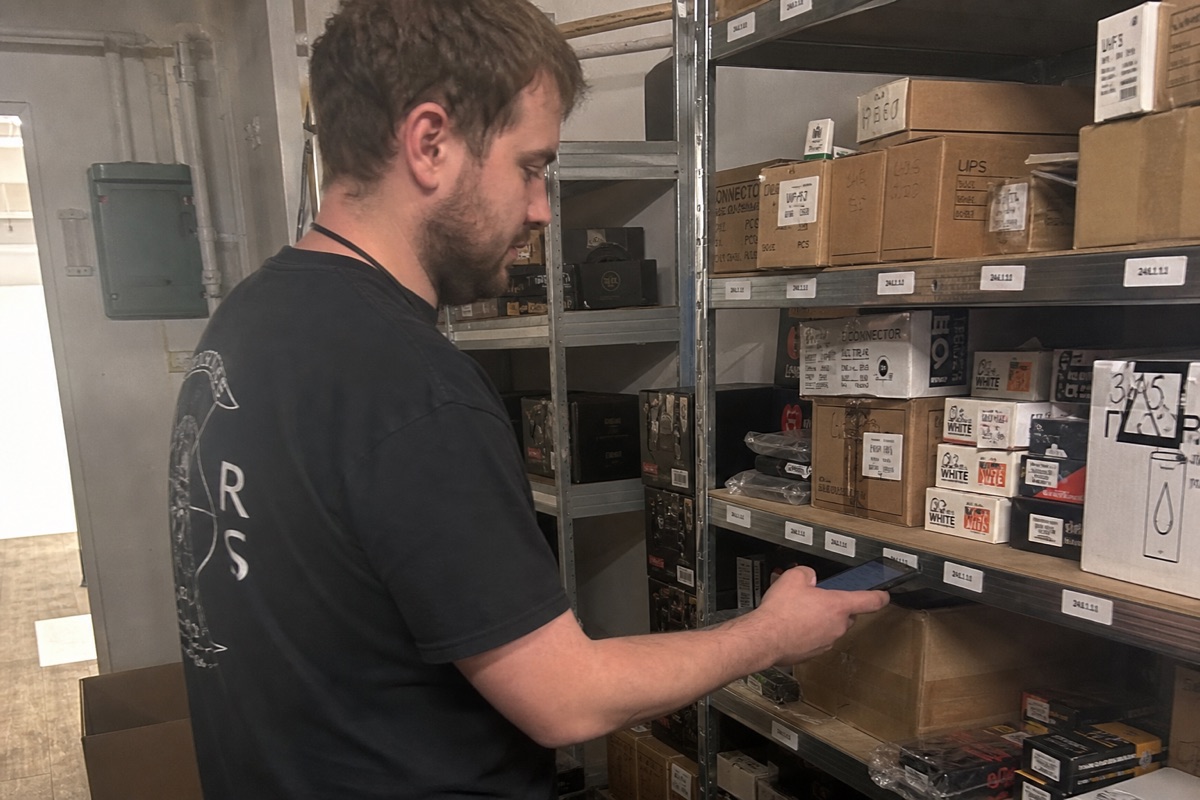
- The camera as a scanner. A real native app gets direct, full-frame-rate camera access, so barcode and QR scanning is instant and reliable. Browser cameras are laggy and miss-fire on long sessions. When a clerk is scanning 200 items, that difference is the whole experience.
- Offline-first. Back stockrooms, walk-in freezers, steel-walled warehouses, basements, dead zones everywhere. Native apps cache the catalog locally and let staff scan and count with no signal, then sync when the connection returns. Web apps just don't load.
- Speed under repetition. Counting is repetitive. Native list rendering and local caching keep the app fast on the 500th scan; web tools stutter.
- Push notifications. Stock drops below reorder point → the manager's phone buzzes, even with the app closed. Web push is unreliable, especially on iOS.
Rork builds real native apps from one project, native iOS and Android plus a web app, so the floor staff scan on their phones and the owner reviews on a laptop, all from the same build.
The Pattern That Works
1. Scan to Identify
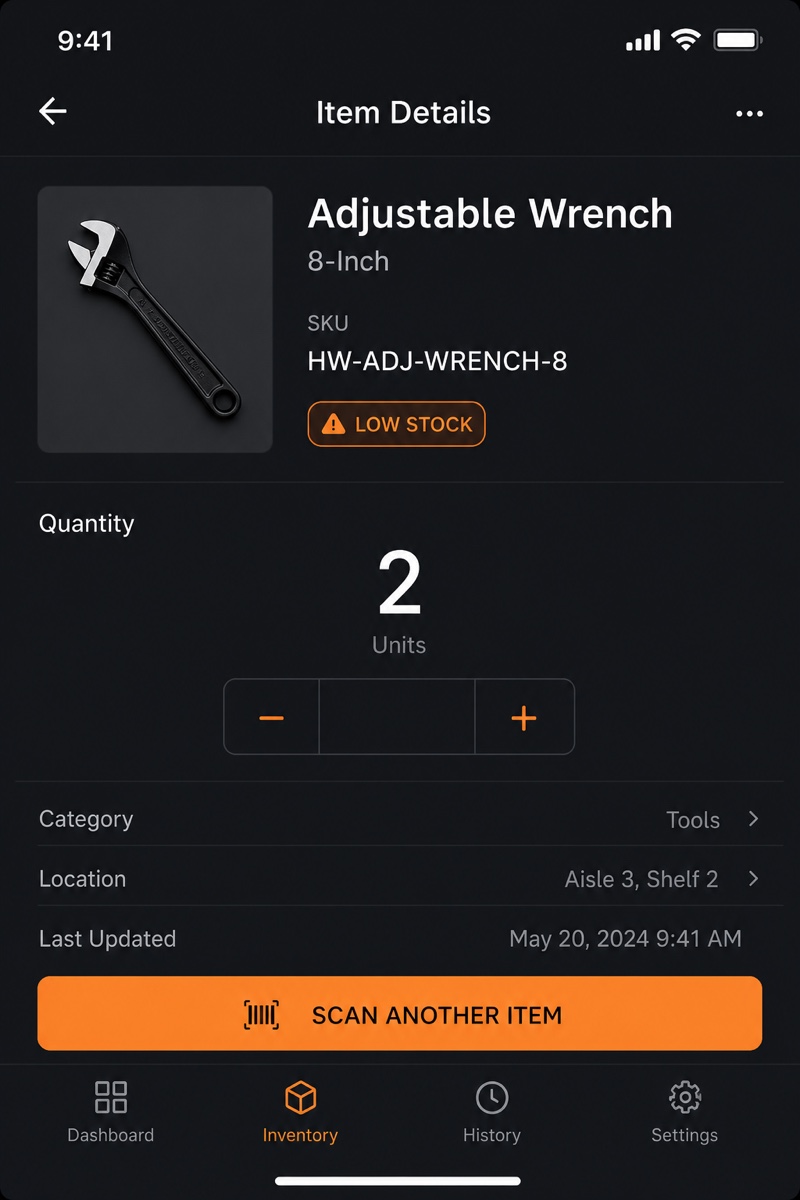
Open the app, point the camera at the barcode or QR code. The app reads UPC, EAN, Code 128, QR, and the rest, and pulls up the matching item instantly. No item yet? Scan the code, snap a photo, type a name, and it's in the catalog. The barcode becomes the item's permanent key, so every future scan is one tap.
2. Count and Cycle Count
Two flows that cover almost everyone:
- Full count. Walk a location, scan each item, enter the quantity on hand. The app shows you what you've counted and what's still missing.
- Cycle counts. Instead of one painful annual stocktake, count a small slice of the catalog each day or week on a rotation. The app schedules which items are due, and discrepancies get flagged for review instead of silently overwriting the number.
Every count writes to the audit log (see below), so a wrong number is traceable, not a mystery.
3. Low-Stock Alerts
Set a reorder point per item, per location. When a scan or sale drops stock below it, the item lights up on a dashboard and the responsible person gets a push notification. No more discovering you're out when a customer asks.
4. Multi-Location and Transfers
Stock is tracked per item, per location, so you get one live view across every store, warehouse, van, kitchen, or job-site cache. Moving stock is a short flow:
- Location A requests 20 units of an item.
- Location B approves and ships.
- A scans them in on arrival; both balances update.
Everyone reads the same numbers in real time, no reconciling two spreadsheets at month-end.
5. Supplier Reorder
When an item hits its reorder point, the app can draft a purchase order to the right supplier, correct quantities, last-paid price, ready to send. You review and tap approve; it emails the supplier. The manual "check the spreadsheet, find the vendor, write the email" ritual disappears, but you keep the final say.
6. Audit Log and Roles
- Audit log. Every change, count, receipt, transfer, adjustment, records who, what, when, and the old and new value. When the numbers look wrong, you can see exactly what happened instead of guessing.
- Roles. Owner sees everything and every report. Manager sees their location. Clerk or picker can scan, count, and receive but can't see margins or change pricing. Auth is Rork Auth (sign in with Google or Apple), so there's no password list for you to babysit.
Rork vs The Alternatives
| Platform | Phone-camera scanning | No per-seat / per-item fee | Offline-first | Custom workflow | Best for |
|---|---|---|---|---|---|
| Rork | ✅ Real native camera | ✅ Pay for the app | ✅ Yes | ✅ Anything | Custom inventory apps |
| Sortly | ✅ Yes | ❌ Priced per entry | ⚠️ Limited | ⚠️ Templates | Visual, photo-based inventory |
| inFlow | ✅ Yes | ❌ Per-seat | ⚠️ Limited | ⚠️ Their workflow | Small-business mid-market |
| Zoho Inventory | ✅ Yes | ❌ Per-seat + plan tiers | ⚠️ Limited | ⚠️ Their workflow | Zoho-ecosystem businesses |
| Fishbowl | ✅ Yes | ❌ License + implementation | ✅ Yes | ⚠️ Heavy config | Manufacturing / large warehouse |
| Custom iOS+Android | ✅ Native | ✅ Yes | ✅ Yes | ✅ Anything | Companies with eng teams ($250k+) |
The combination of real native scanning + no per-seat or per-item penalty + fully customizable + SMB-affordable is what makes Rork a fit for inventory across so many different SMBs.
The Stack Operators Run
- App framework: Rork for cross-platform native (iOS + Android + web from one project). Native camera barcode/QR scanning is a real capability, not a plugin you fight with.
- Backend: Rork Cloud, included. Managed Postgres, auth, and storage come with the build, items, locations, counts, transfers, and the audit log all live here. No separate database to provision or pay for.
- Auth: Rork Auth. Sign in with Google or Apple, role-based access on top.
- Push: built-in push notifications for low-stock alerts.
Realistic all-in cost:
- A single-store shop or trades business on Rork Pro from $20/month covers a working inventory app with scanning, counts, and alerts, backend included.
- A multi-location operation that wants native Swift performance and the full feature set runs on Rork Max at $200/month (~$2,400/year), backend included.
Compare that to per-seat SaaS that charges you again every time you add a clerk, picker, or driver, or per-item tools that bill you for growing your catalog. The custom build's cost doesn't scale with your headcount or your SKU count.
The Build Sequence
Build in this order so you have something usable in week one and never a half-finished system:
- Catalog + scanning. Items with barcode, name, photo, location, quantity. Scan to add, scan to find. This alone beats the spreadsheet.
- Counts. Full count plus the audit log underneath it, so every number has a paper trail from day one.
- Low-stock alerts. Reorder points + push notifications. This is the feature owners feel immediately.
- Multi-location + transfers. Per-location stock and the request/approve/receive flow.
- Supplier reorder. Draft-PO-on-approval, emailed to the vendor.
- Roles + dashboard. Lock down what clerks see; give the owner the rollup view (stock value, items below reorder, recent adjustments, slow movers).
Each step is a few prompts in Rork, and each one is shippable on its own. Roll it out to one location, let it prove itself, then expand.
Who This Is For
The same app, with the labels changed, fits a remarkable range of SMBs:
- A retail shop tracking SKUs and reorder points across two stores.
- A restaurant group counting walk-in and dry stock before each weekend.
- An electrician or plumber keeping each van stocked, scanning parts in and out per job.
- A clinic or salon tracking consumables and product with expiry dates.
- A small warehouse running daily cycle counts instead of a dreaded annual stocktake.
Same pattern, same stack, different nouns.
What to Do This Week
If you're paying per seat to inFlow or Zoho, watching your Sortly bill climb with your catalog, or still living in a spreadsheet you don't trust:
- Open Rork. Describe how your team counts and reorders stock today, in plain words.
- Use plan mode to spec scanning, counts, reorder points, and roles.
- Build the catalog + scanning piece first. Install it on one phone and scan a shelf.
- Watch one staff member use it for a real count. Iterate.
Within a few weeks you have an inventory app that scans with the phone in your pocket, fits your workflow exactly, and doesn't charge you more for growing. The SaaS subscription becomes optional, not required.
See also: