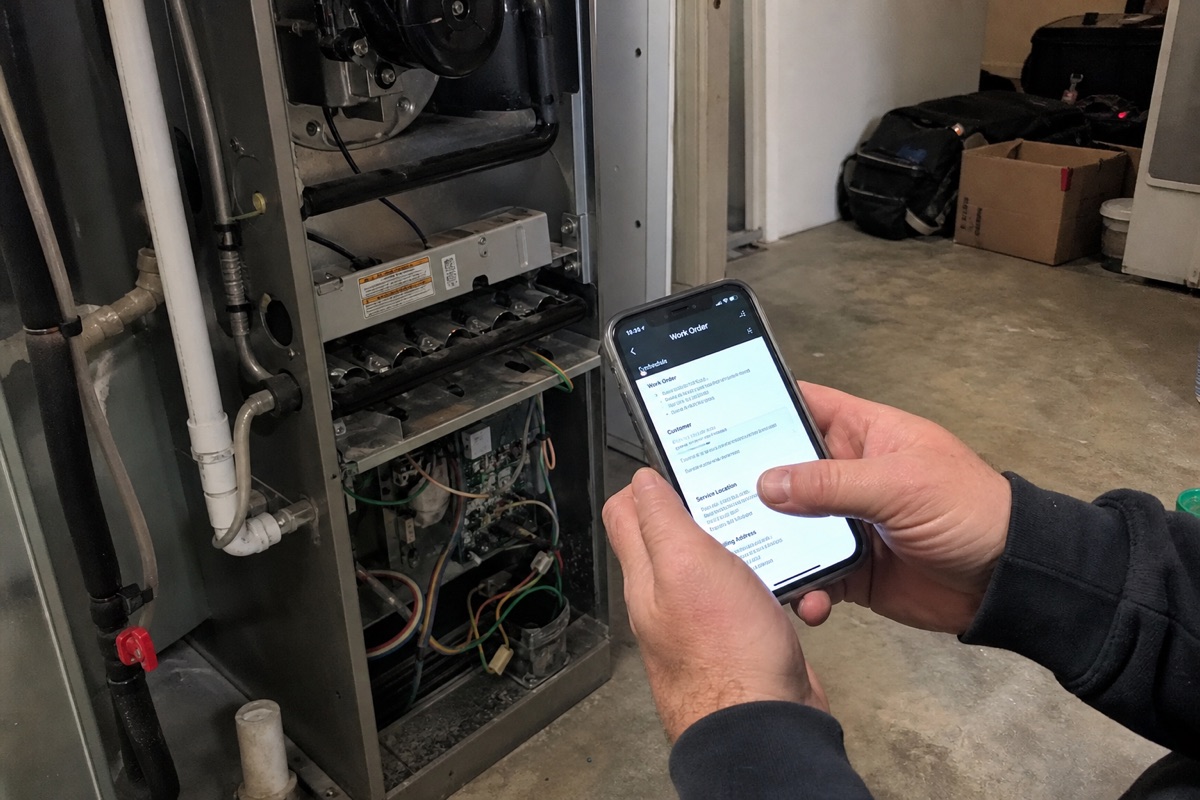
There is a moment that defines whether field software works or not, and it happens in a basement.
A tech is standing next to a dead furnace or a leaking shutoff. Their hands are dirty. There's no signal. They need to see the work order, shoot a before photo, do the job, shoot an after photo, get the customer to sign, and write up what happened, all one-handed, fast, before they're on to the next call. If your software shows a loading spinner in that moment, it's dead to your crew within two weeks.
If you run an HVAC company, a plumbing business, or an electrical contracting shop, you've already lived this. And you've probably looked at the options:
- Paper work orders. Half of them never make it back to the office legibly. Photos live on five different phones.
- ServiceTitan. Powerful, genuinely good for big shops, and priced like it. Per-seat costs add up fast, onboarding is heavy, and you adapt to their workflow.
- Housecall Pro, Jobber, FieldEdge. More approachable, still per-seat, and the feature you specifically want is usually one tier up. You grow, the bill grows with every hire.
- Generic no-code (Glide, Softr, Adalo). These build web apps that look like apps. The camera is unreliable, offline barely works, and signatures and background uploads are fragile, exactly the things a trades crew needs most.
- A custom native build from an agency. $80,000 to $200,000 and six months. Out of reach for most shops.
This guide is the other option: a real native iOS and Android app (plus a web dashboard for the office), built by the owner, that fits your shop exactly and costs a flat amount no matter how many techs you put on it.
Why "Real Native" Is Not Marketing Here
For field trades, the gap between a real app and a web app stops being theoretical:
- Offline-first. Mechanical rooms, crawlspaces, rural service routes, sub-grade electrical panels, no signal. A real native app caches the day's dispatch each morning and lets the tech capture everything locally, then syncs when the truck hits LTE. A web app loads nothing.
- The camera with metadata. Native camera access gives you GPS coordinates and a real capture timestamp on every before/after photo. Browser cameras strip that.
- On-site signatures. A smooth native signature canvas means the customer signs the quote or the completed work right on the phone, timestamped, attached to the job.
- Background uploads. The tech finishes, locks the phone, drives off. The 20 photos and the voice note keep uploading from inside the truck. Web apps can't do this.
- Push notifications. Dispatcher reassigns a call, the tech's phone buzzes in two seconds, even with the app closed.
Rork builds these as real native apps (Expo and React Native under the hood, with native Swift available on Rork Max), from one project that also produces your office web dashboard.
The Pattern That Works
1. Dispatch and Work Orders
The morning board lives on the office web dashboard. The dispatcher drags calls onto techs. Each tech's phone pulls the day's work orders and caches them locally, so the route survives a dead zone.
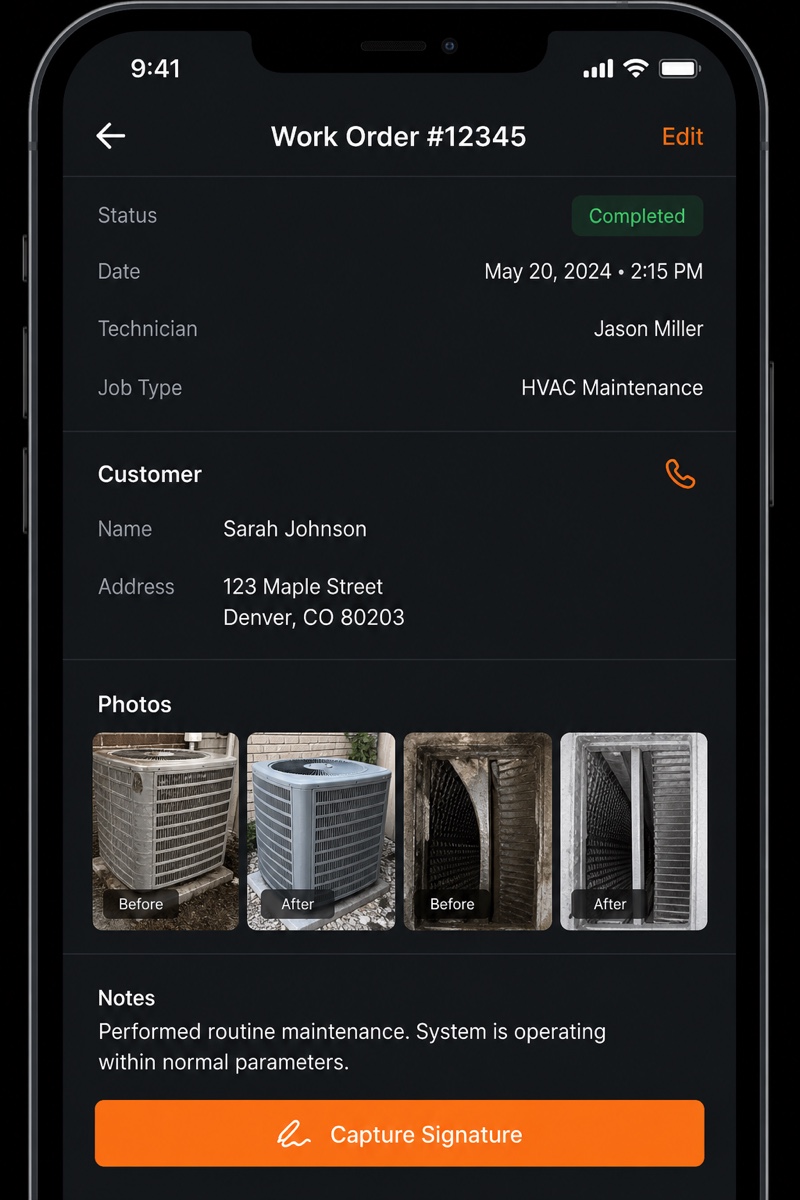
Each work order carries the essentials: customer, address, problem description, equipment history, and the time window. One tap on the phone opens the job. Keep it that simple, techs skip anything that needs a login dance or three dropdowns to start.
2. Before / After Photos with GPS and Timestamps
This is the feature that earns its keep. The tech taps Before, shoots the failed part, the corroded fitting, the scorched breaker. Does the work. Taps After, shoots the fix.
Both photos attach to the work order automatically, each stamped with GPS and a server-verified timestamp. That paired record wins disputed invoices, backs up warranty claims, and protects you in a callback. Resize to ~1920px before upload so your storage bill stays sane; media lives on Cloudflare R2.
3. On-Site Customer Signature
Two signature points:
- On arrival: customer authorizes the work (or approves the quote).
- On completion: customer accepts the finished job.
The tech turns the phone around, the customer signs with a finger, and the signature saves to the work order, timestamped. No paper, no "I never approved that" a week later.
4. Offline Use That Actually Survives the Job
Everything above, the work order, the photos, the notes, the signature, is captured and stored locally first. The app shows the tech a clear "saved, will sync" state. When signal returns, it pushes everything to the backend in the background. The tech never waits on a bar of LTE to finish a call.
5. Voice-to-Report
Nobody types a clean write-up with cold hands in a truck. So the tech talks instead:
"Replaced the 40-gallon water heater, old tank was seeping at the seam, recommend the customer budget for an expansion tank next visit."
The app transcribes the voice note and turns it into a structured work-order summary: what was done, what was found, what to recommend next. AI cost is a few cents per visit. The payoff is the report that previously didn't get written at all, now written automatically, in clean language the office and the customer can both read.
6. Invoicing and Scheduling
Close the loop:
- Invoicing. The completed work order, with line items, photos, and signature, becomes an invoice. Email it to the customer before the tech leaves the driveway, or sync it to your existing accounting system via API.
- Scheduling. Recurring maintenance agreements (HVAC tune-ups, backflow tests, panel inspections) auto-generate work orders on a cadence. Push reminders to the office and the customer.
Rork vs The Alternatives
| Platform | Real native iOS/Android | Offline in a basement | Pricing model | Custom workflow | Best for |
|---|---|---|---|---|---|
| Rork | ✅ Real native | ✅ Yes | ✅ Flat (from $20/mo) | ✅ Anything | Custom field apps for your shop |
| ServiceTitan | ✅ Native (theirs) | ✅ Yes | ❌ Per seat, premium | ❌ Their workflow | Large multi-crew operations |
| Housecall Pro | ✅ Native (theirs) | ⚠️ Partial | ❌ Per seat | ❌ Their workflow | Small shops wanting off-the-shelf |
| Jobber | ✅ Native (theirs) | ⚠️ Partial | ❌ Per seat | ❌ Their workflow | General home-services scheduling |
| FieldEdge | ✅ Native (theirs) | ⚠️ Partial | ❌ Per seat | ❌ Their workflow | HVAC shops on legacy accounting |
| Glide / Softr / Adalo | ❌ Web only | ❌ No | Tiered | ✅ Yes | Office dashboards, not field crews |
| Custom agency build | ✅ Native | ✅ Yes | $80k–$200k upfront | ✅ Anything | Shops with a budget and six months |
The per-seat math is the quiet killer with the vertical SaaS. At $100 to $300 per tech per month, a 10-person shop is paying $12,000 to $36,000 a year, and every hire raises it. A flat-cost custom app doesn't move when you add the eleventh tech.
What It Actually Costs
Rork is credit-based, not per-seat:
- Free: $0 to start and prototype.
- Rork Pro: from $20/month.
- Rork Max: $200/month (~$2,400/year), for native Swift and the full Apple ecosystem.
The managed backend, database, auth (Rork Auth, with Google and Apple sign-in), and storage, is included. You don't stand up or pay for a separate database.
A realistic all-in for a busy shop, including the Rork plan, Apple ($99/year) and Google ($25 one-time) developer fees, AI transcription, and heavier photo/video storage on Cloudflare R2, lands around $5,000/year, flat regardless of how many techs you run. Compare that to per-seat SaaS that crosses the same number within a handful of seats and keeps climbing.
The Build Sequence
You don't build all of this at once. Ship the part the vertical SaaS does worst first, the on-site capture, then expand.
Week 1: Work Orders + Offline
- Core tables: Customer, WorkOrder, Photo, Signature, User (tech / dispatcher / owner roles).
- Tech login (Rork Auth: Google and Apple sign-in).
- Today's work-order list, cached offline, with a one-tap job screen.
Week 2: Capture
- Before/after photo flow with GPS and timestamps.
- On-site signature canvas (arrival + completion).
- Background sync of everything captured offline.
Week 3: Voice Reports + Office Dashboard
- Voice note recording and AI-generated work-order summaries.
- Office web dashboard (same Rork project, web target): dispatch board, job detail, photo and signature review.
- Push notifications to techs on reassignment.
Week 4: Invoicing + Scheduling
- Turn a completed work order into an invoice; email it on the spot.
- Recurring maintenance agreements that auto-generate work orders.
- Optional API sync to your existing accounting system.
By the end of the first month you have a field app your crew will actually open, and an office dashboard that shows the day in real time.
A Note on Regulated or Sensitive Data
Trades work doesn't usually touch heavily regulated data, but if you plan to store anything sensitive (detailed payment data, anything that falls under privacy regulations in your region), don't assume compliance is built in. Talk to Rork about what options exist for your use case before you put that kind of data in.
What to Do This Week
If you've been getting per-seat quotes from ServiceTitan, Housecall Pro, Jobber, or FieldEdge and bracing for the bill to climb with every hire:
- Open Rork. Start free; move to Pro (from $20/month) or Max ($200/month) when you want native Swift and the full Apple ecosystem.
- Describe your single worst field moment, the basement with no signal, the disputed invoice, the write-up nobody had time to do. Use plan mode and let the model interrogate you on offline sync and photo edge cases.
- Build work orders + offline capture first. Put it on two techs' phones this week.
- Add before/after photos, signatures, and voice reports next.
- Roll out to the whole crew, then wire up invoicing and scheduling.
By the time a SaaS rep finishes the per-seat pitch, your crew is already shooting before/after photos and collecting signatures on an app that's yours, at a price that doesn't grow every time you hire.
See also: