Every cleaning company runs on the same fragile chain of trust: a cleaner shows up at a site, does the work, and somebody, somewhere, has to believe it happened the way it should have. The client wasn't there. The owner wasn't there. The proof lives in the cleaner's memory and maybe a text message.
That gap is where cleaning businesses lose money: billing disputes, "you missed the bathrooms" complaints, no-shows nobody caught until the client called, payroll guesswork, and an owner who can't scale because they're the only one who actually knows what got done.
If you run a residential maid service, a commercial janitorial company, a post-construction cleanup crew, or a mix of all three, you know this. Today most cleaning companies either run on paper or pay for field-service management software, subscription apps that schedule crews, track jobs, and send invoices. None of the usual options close the trust gap well:
- Paper checklists and a group chat. Half the checklists never make it back to the office. Photos scatter across three phones. Nothing is searchable by client.
- General home-services SaaS (Jobber, Housecall Pro). Field-service apps used across the US, Canada, the UK, and Australia by plumbers, HVAC, and cleaners alike. Solid scheduling and invoicing, but built for every trade at once rather than cleaning specifically, and priced per seat. Their forms, not yours.
- Cleaning-specific SaaS (Swept, ZenMaid, Aspire). Closer to your world: Swept targets commercial office janitorial, ZenMaid is built for US residential maid services, and Aspire serves large commercial janitorial and landscaping contracts. You still adopt their workflow, and the per-cleaner pricing punishes you the moment you grow.
- A custom native build from an agency. $80,000–$200,000 and six months. See our cost breakdown.
This guide is the other path: a real native app, on iOS and Android, built by the owner, that matches exactly how your company cleans.
Why a Real App (Not a Website) for Cleaning Crews
Cleaning is the use case where the difference between a web app and a real app stops being a detail:
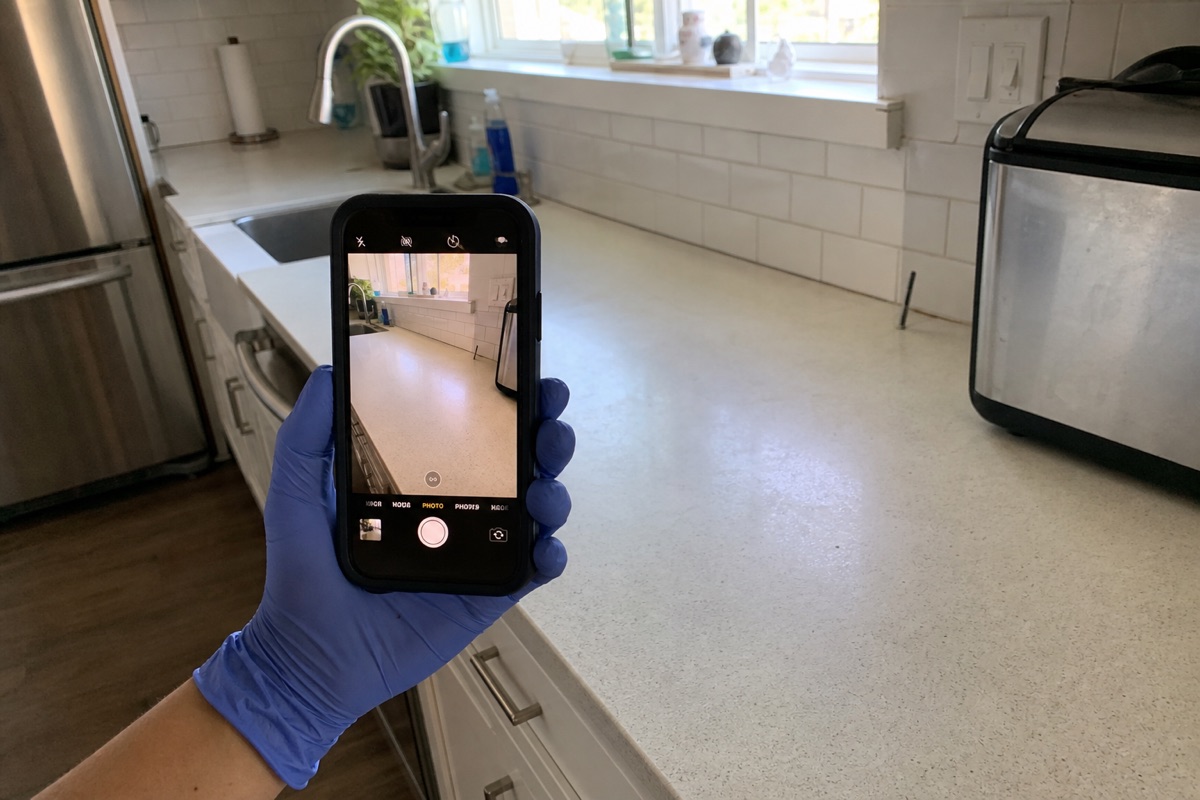
- The camera. Before/after proof is the whole point. Native iOS and Android cameras give you reliable, full-resolution capture you can attach to the exact site visit. Browser cameras on iOS Safari are flaky and strip metadata.
- Geo check-in/check-out. Native location confirms the cleaner was at the address. Web geolocation is unreliable and easy for the OS to throttle in the background.
- Offline-first. Office buildings, basements, parking structures, rural homes: signal drops constantly. A native app caches the route, checklists, and queued photos locally, then syncs when LTE returns. A website just spins.
- Push notifications. Schedule changes, a swapped shift, a same-day add-on: the cleaner's phone buzzes even with the app closed. iOS web push is heavily restricted.
Skip native and your crews quietly stop opening the app within two weeks. Then you're back to the group chat.
The Pattern That Works (Mobile-First)
1. Today's Jobs, One Screen
A cleaner opens the app and sees only what matters: today's stops, in route order, with address, access notes (gate code, lockbox, "dog in backyard"), and the per-site checklist. No menus to dig through. The morning's route is cached, so it loads instantly even with no signal.
2. Geo Check-In on Arrival
The cleaner taps "Start job." The app records one GPS coordinate and a timestamp. That single tap anchors everything else: the checklist, the photos, and the time on site all attach to this visit. At the end, "Finish job" logs check-out. Two coordinates, payroll-ready, dispute-proof, and far cleaner legally than live tracking.
3. Per-Site Checklists
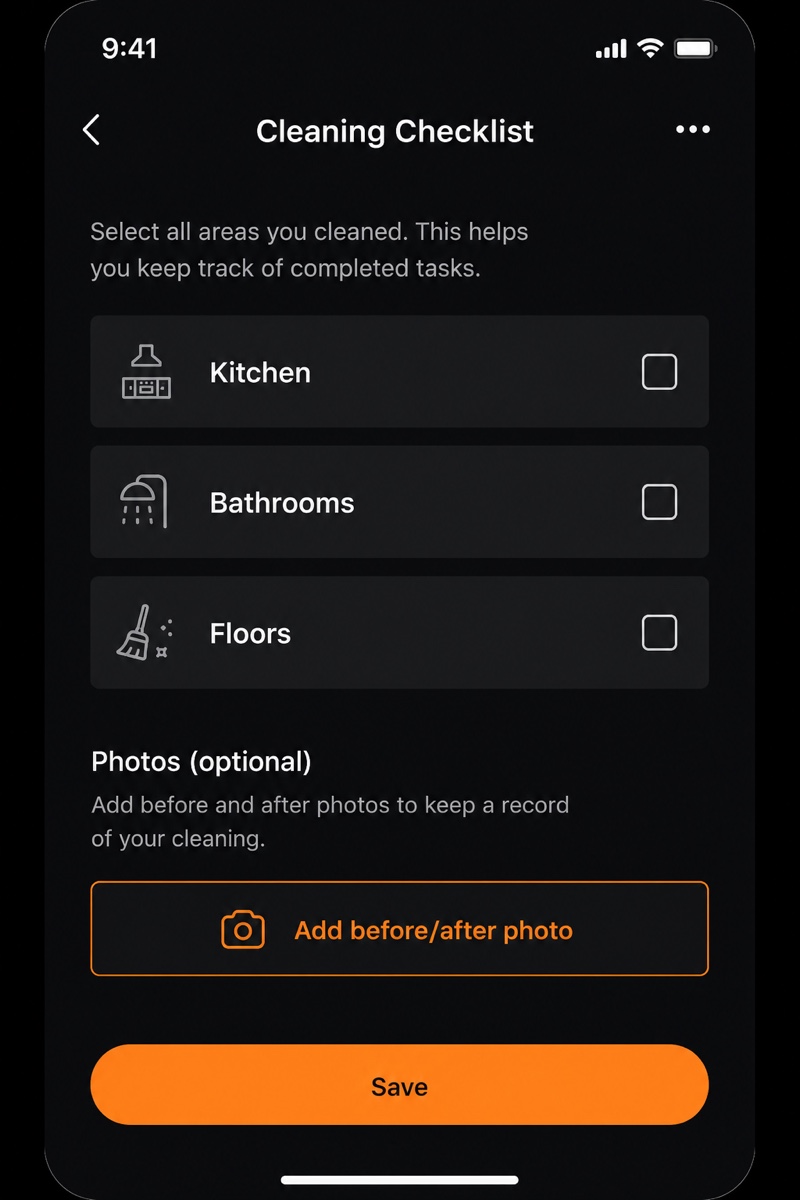
Every site is different. A move-out deep clean isn't a weekly office tidy. So checklists are per-site templates: kitchen, bathrooms, floors, trash, restock, whatever that contract specifies. The cleaner checks items off as they go; skipped items require a quick note. The office defines templates once and reuses them across recurring visits.
4. Before/After Photo Proof
On the same screen, two taps to add photos, tagged automatically to the client, the site visit, and the checklist item. Encourage a before and an after for the high-dispute areas (kitchens, bathrooms, entryways). Photos resize before upload to keep storage small and uploads fast, and they store in your app's managed file storage. This is the single feature that ends "you didn't clean X" arguments.
5. Crew Scheduling and Shift Assignment
The office builds the week: who cleans which sites, in what order. Assign a job to a cleaner or a two-person crew, and it appears on their phone. Reassign a sick cleaner's stops with a drag, and the new cleaner gets a push notification. Cleaners see only their own schedule; the owner sees everyone.
6. Route Order
Each cleaner's stops are ordered to cut drive time, set by the office or sorted by location. The cleaner just follows the list top to bottom. Fewer miles, fewer late arrivals, more jobs per day.
7. Recurring Jobs, Automated
Most cleaning revenue is recurring: weekly, biweekly, monthly. Define the recurrence once on the contract, and the app generates upcoming visits and slots them onto the schedule automatically. One-off deep cleans get added as single jobs. The office stops rebuilding the same calendar every week.
8. Client Portal and Reports
Commercial clients especially want documentation. A lightweight client portal (the web target of the same project) lets a client log in and see their site's visit history: dates, who cleaned, the completed checklist, and the before/after photos. A clean "visit completed" report can be emailed automatically. This is what turns proof-of-work into renewed contracts.
Rork vs The Alternatives
| Platform | Real native iOS/Android | Before/after photo proof | Custom checklists & workflow | Per-seat pricing | Best for |
|---|---|---|---|---|---|
| Rork | ✅ Real native | ✅ Built into the flow | ✅ Anything you want | ✅ No per-seat charge | Custom cleaning apps |
| Jobber | ✅ Native (theirs) | ⚠️ Add-on/limited | ❌ Their forms | ❌ Per user | General home services |
| Housecall Pro | ✅ Native (theirs) | ⚠️ Limited | ❌ Their forms | ❌ Per user | General home services |
| Swept | ✅ Native (theirs) | ✅ Yes | ⚠️ Templates | ❌ Per cleaner | Commercial janitorial |
| ZenMaid | ✅ Native (theirs) | ⚠️ Limited | ⚠️ Templates | ❌ Per user | Residential maid services |
| Aspire | ✅ Native (theirs) | ✅ Yes | ⚠️ Their model | ❌ Seat/contract | Large commercial contracts |
| Custom iOS+Android | ✅ Native | ✅ Anything | ✅ Anything | n/a | Companies with eng teams ($250k+) |
The combination of real native + built-in photo proof + a workflow that's exactly yours + no per-seat tax as you hire is what makes Rork fit cleaning SMBs specifically.
The Stack You Build On
- App framework: Rork for cross-platform native (iOS + Android + web from one project, with native Swift available on Rork Max).
- Backend: Rork Cloud (included). Managed Postgres database, file storage for your photos, and auth, all part of the project. No separate database to set up or bill.
- Auth: Rork Auth (sign in with Google or Apple), so cleaners and clients log in without you managing passwords.
- Photos: stored in the project's managed file storage, resized before upload to keep them fast and cheap.
- Push notifications for schedule changes and shift swaps, included for normal volumes.
A realistic all-in cost: Rork Pro from $20/month for most small crews, or Rork Max at $200/month (~$2,400/year) when you want fully native Swift. Either way, hiring your 5th or 15th cleaner doesn't raise the bill, unlike per-seat cleaning SaaS.
The Build Plan
Week 1: Crews on the App
- Crew login with Rork Auth.
- Today's job list in route order, with access notes.
- Geo check-in / check-out (one coordinate each, with timestamps).
Week 2: Checklists and Photo Proof
- Per-site checklist templates.
- Check items off, with notes on anything skipped.
- Before/after photos tagged to the visit and checklist item.
Week 3: Scheduling and Recurring Jobs
- Office calendar: assign jobs to cleaners and crews.
- Drag-to-reassign with a push notification to the new cleaner.
- Recurring contracts that auto-generate upcoming visits.
Week 4: Client Portal and Reports
- Web portal where commercial clients see their site's visit history and photos.
- Automatic "visit completed" report emailed after check-out.
By the end of month one, you have a system your whole team uses every day, instead of six months and a six-figure agency invoice.
What Operators Are Building
A cleaning service in the US runs this exact loop: cleaners arrive, geo check-in, work the per-site checklist, photograph before/after, tap finish. The office sees the completed visit with photos attached to the client within a minute, and bills off it automatically. Billing disputes dropped sharply because there's photographic proof of every visit, attached to the right site, every time.
The same pattern works whether you run residential maid service, nightly commercial janitorial, or post-construction cleanup. Same architecture, different checklist.
What to Do This Week
If your crews currently run on paper checklists and a group chat:
- Open Rork. Describe the "arrive, check in, work the checklist, photograph before/after, check out" flow in your own words.
- Use plan mode to pin down per-site checklists, geo check-in, and offline behavior.
- Ship a v1 and install it on two cleaners' phones this week.
- Watch how they actually use it on a real route, then iterate.
Within four weeks, the proof lives in your database instead of someone's memory, the schedule runs itself, and you stop being the only person who knows what got cleaned.
See also: